Guide members visually
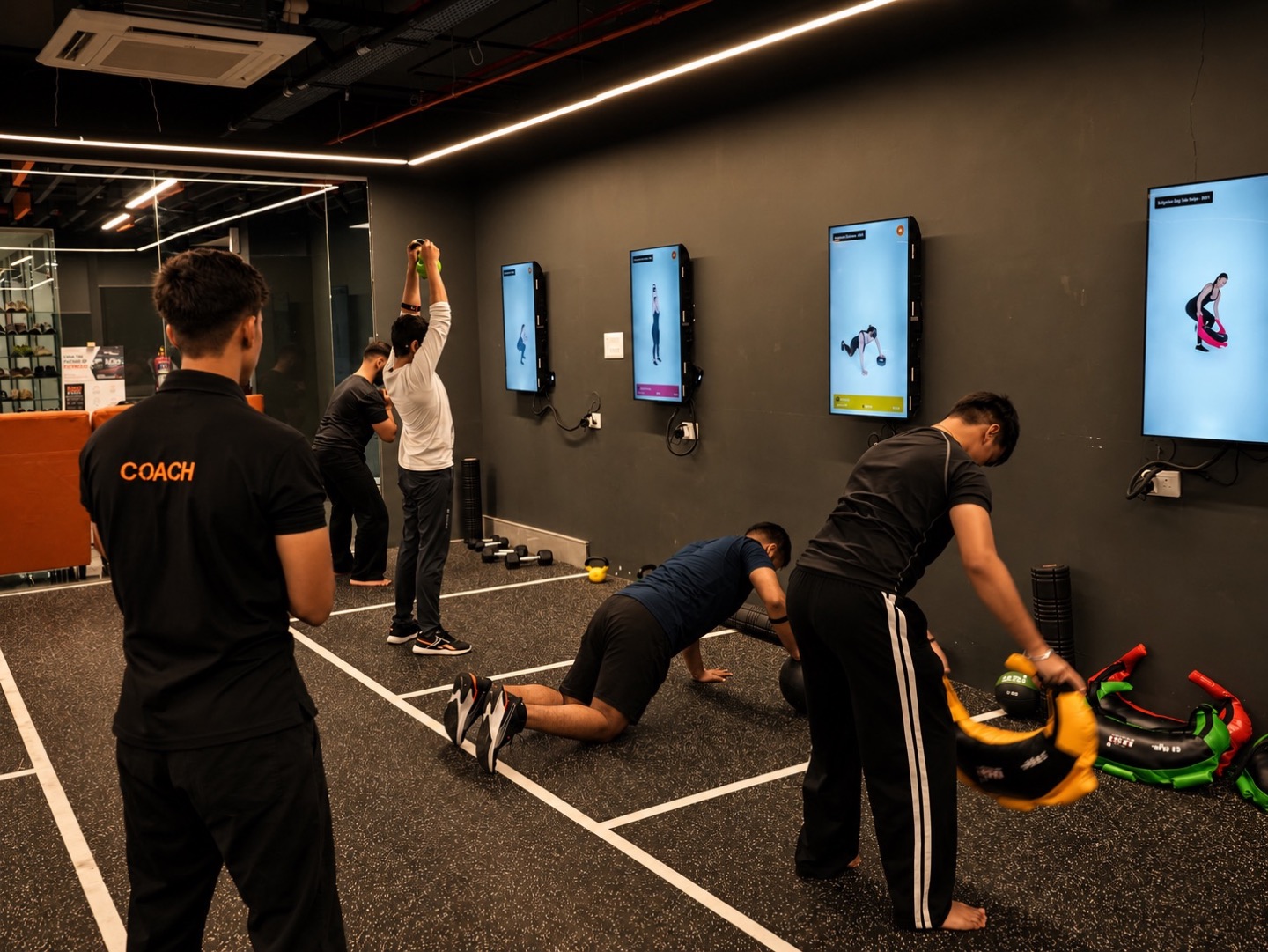
Use follow-along workouts to make exercises easier to understand.
FITWAY / F-ROUNDS
Create, manage, and run engaging workouts across your gym screens. Give members clear visual guidance and make sessions easier to deliver.
01 / MORE WAYS TO TRAIN
Run guided training that members can follow at their own pace.
Use follow-along workouts to make exercises easier to understand.
Run structured workouts across dedicated training zones.
Give members clear guidance every time they walk into the gym.
02 / RUN WORKOUTS YOUR WAY
Lead a class, run a circuit, or coordinate training across multiple zones.
Guide members through exercises and stations.
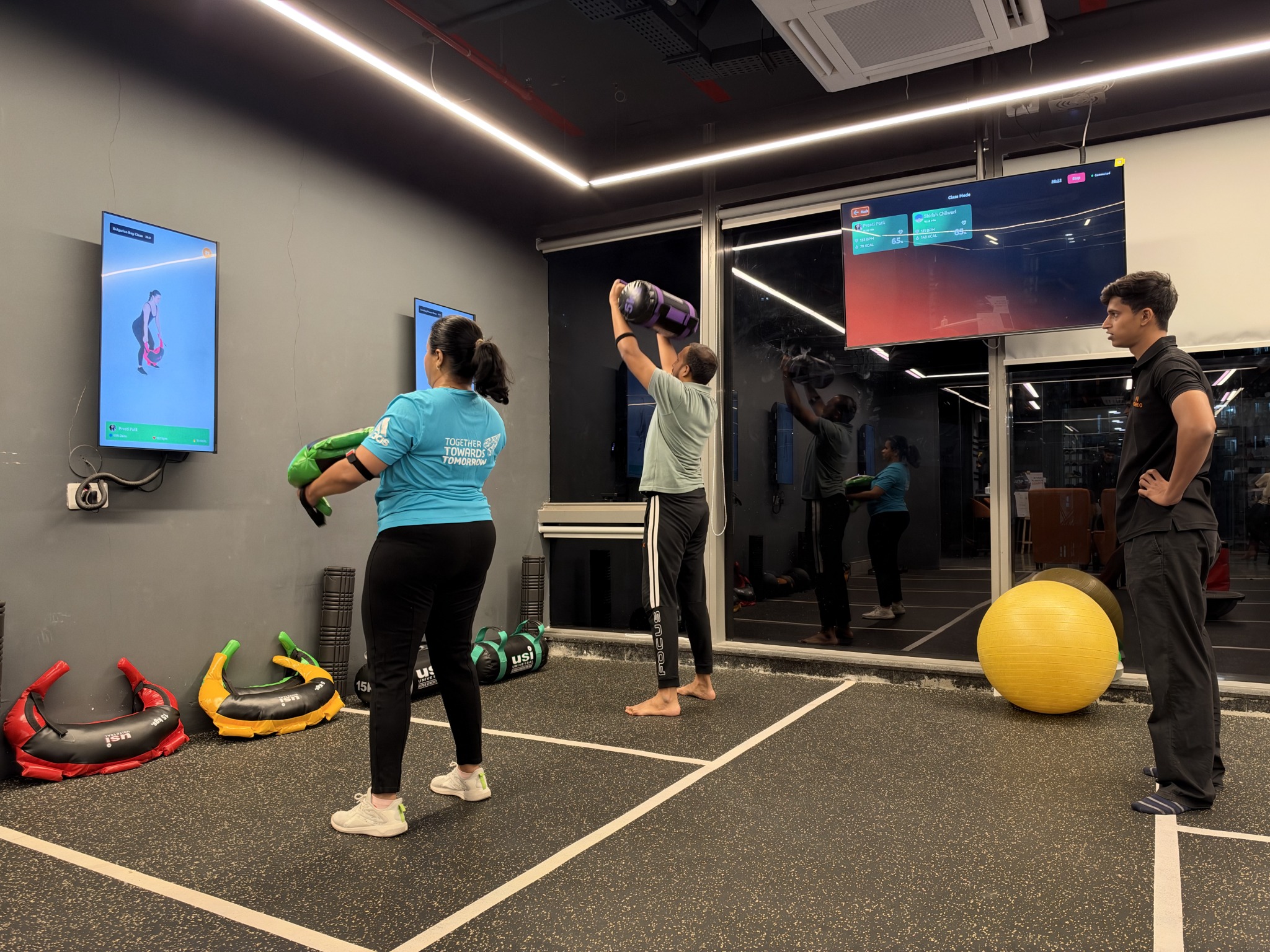
Coordinate workouts across different screens and training zones.
Explore playback options for limited or inconsistent internet connectivity.
03 / CONTENT & CUSTOMIZATION
Create, customize, and deliver workouts suited to your gym.
Choose exercise videos or upload your own content.
Create routines for different zones, class types, and training goals.
Display up to three exercises simultaneously on a single screen.
04 / SCREEN SETUP
Choose a screen layout and hardware setup that works with your gym floor.
Arrange screens in portrait or landscape orientation to suit your training zones.
Run workouts across multiple screens from one setup.
Make station instructions and exercise demonstrations easy to follow.
05 / HARDWARE & SUPPORT
Discuss the right F-Rounds plan and hardware options with the FitWay team.
Choose capabilities based on how you want to run F-Rounds.
Explore the FitWay tablet and media box for workout control and offline playback.
Get help as you set up and run F-Rounds.
CONNECTED BY FITWAY
Bring exercise content, session structure, and your gym screens together so coaches can focus on the room.
Compare plans and capabilities →PRACTICAL GUIDANCE
Explore the steps, examples, and questions in our Insights guide.
Read the guide →QUESTIONS, ANSWERED
FitWay F-Rounds turns gym screens into guided workout stations. Gyms can create circuits, choose exercise videos, and coordinate sessions across training zones. Coaches use the screens to give members visual exercise guidance while managing the gym floor.
Yes. F-Rounds supports coordinated workouts across multiple screens and training zones. It can also display up to three exercise videos simultaneously on one screen. Discuss the number of screens, station layout, and session format with FitWay when planning your setup.
Yes. F-Rounds supports exercise content from its video library and lets gyms upload their own videos. Routines can be customized for different zones, class types, and training goals, helping the visual guidance fit the gym’s sessions.
F-Rounds offers offline playback options through the appropriate hardware setup, including the media box. Confirm which playback functions work offline and what needs an internet connection before rollout. Device and configuration requirements should be agreed with FitWay for your gym.
Your setup depends on the screens, training zones, and playback control you want to use. FitWay describes tablet and media-box options for workout control and offline operation. Share your existing screen models, layout, and connectivity with the team to confirm the required hardware.
EXPLORE THE PLATFORM
A FOCUSED WALKTHROUGH
See the relevant product information and request a demo for your setup.
Explore the UK F-Rounds software offer →LET’S TALK ABOUT YOUR GYM
Explore your workflows, review your setup, and find the right fit with the FitWay team.